
How to Download from Private Telegram Channels (The Simple Trick for 2025)
With this new trick, you can easily download from private channels that have restricted their content.
Ever hit a wall trying to save an amazing video from a private Telegram channel?
Direct download from private Telegram channels and groups has always been a need among Telegram users, for which there were no online methods until today.
But what if there was a simple, safe workaround that let you download any file you want? In this guide, we’ll show you a clever trick that works right now, using only Telegram itself and our downloader. No risky apps, no giving away your account access.
Why can’t you download directly from private channels? A Quick Explanation
Some administrators make their channels and groups private because they want to selectively approve and select their members.
Administrators publish various video, audio, image, document, etc. files in these channels for users to use and allow you to download.
But no downloader can download directly from them because the channel and group are private, so here you need to learn a special and new trick.
Note 1: We teach you this trick for your personal use; please do not publish files you download from private Telegram channels and groups publicly without the permission of the original file owner.
Note 2: This trick does not work if the administrator of the channel or Telegram group has blocked the “Forward” option.
The Step-by-Step Guide to Downloading Telegram restricted content
We will explain four very simple steps to you so that you can download from private Telegram channels and groups. It’s not hard to do, so follow these steps and use this trick easily.
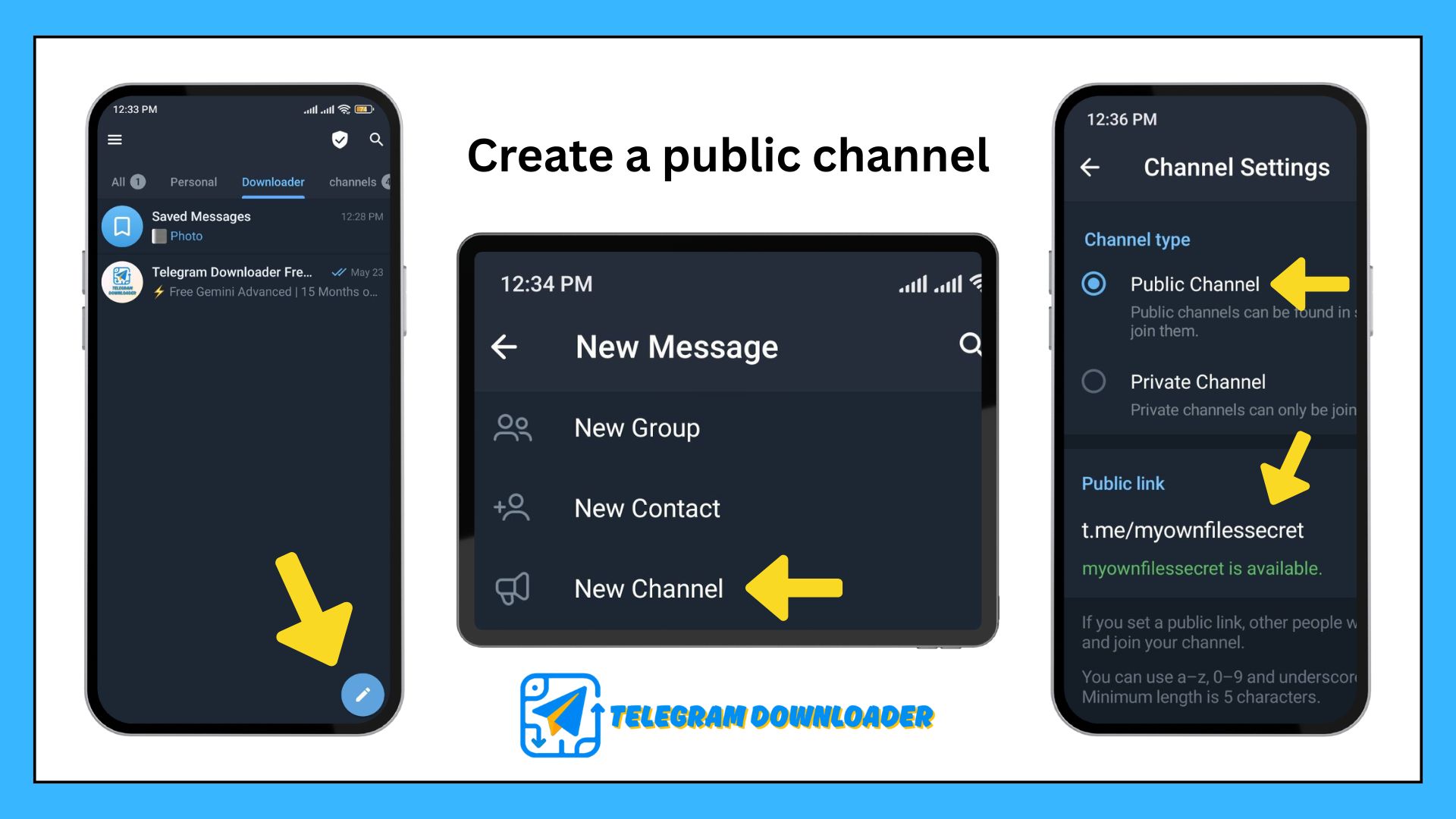
Step 1: Create a “public channel” for yourself
Go to Telegram and create a new channel through the New Message menu.
Choose a name and username for your channel so that your channel is publicly available.
Choose the channel username so that it cannot be guessed by others and your information is protected.
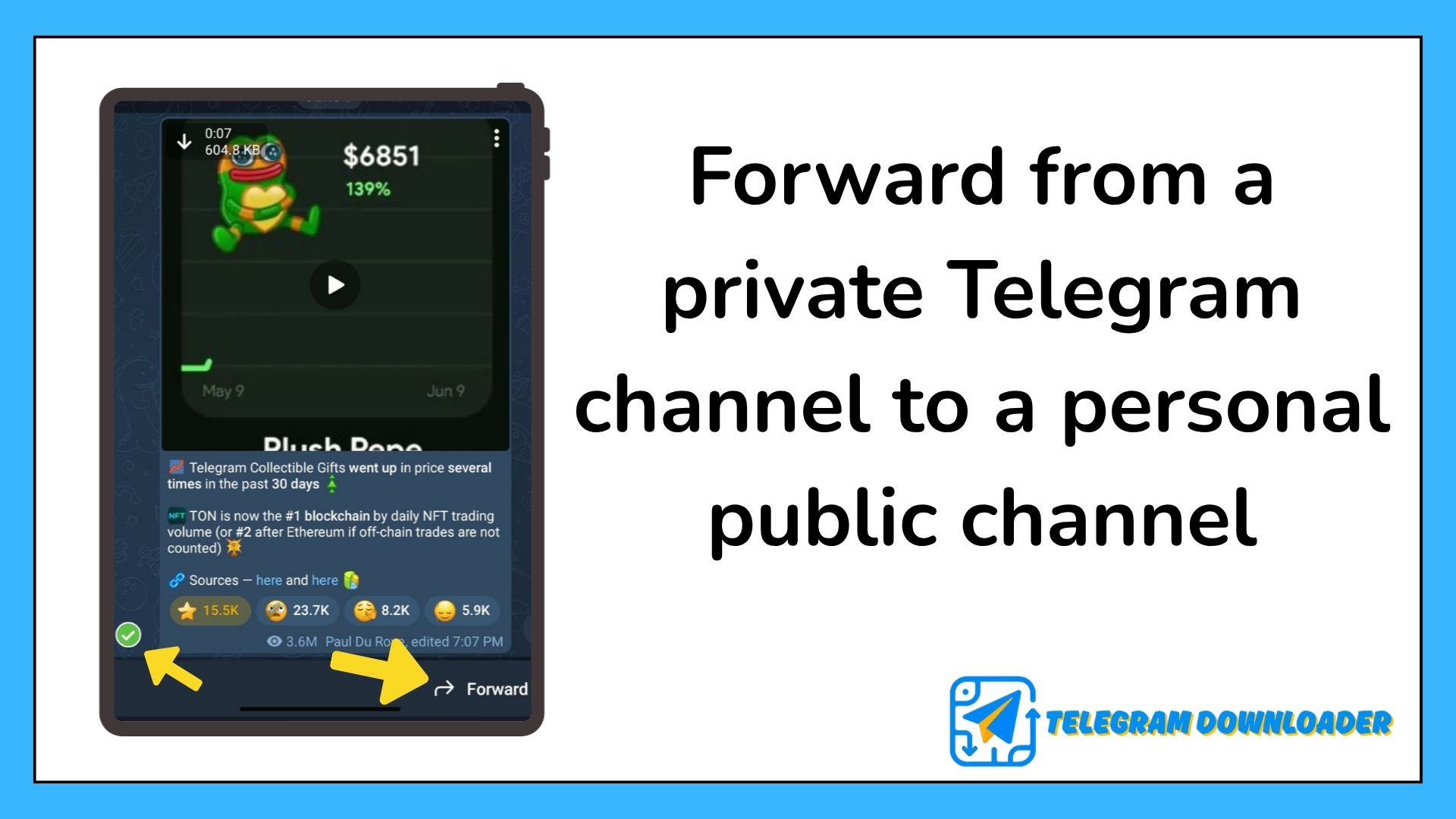
Step 2: Forward from a private Telegram channel or group
Go to the desired channel or group and forward the file you want to download from there to the public channel you created.
The forwarding feature is a well-known and very simple feature in Telegram and does not require a complicated process.
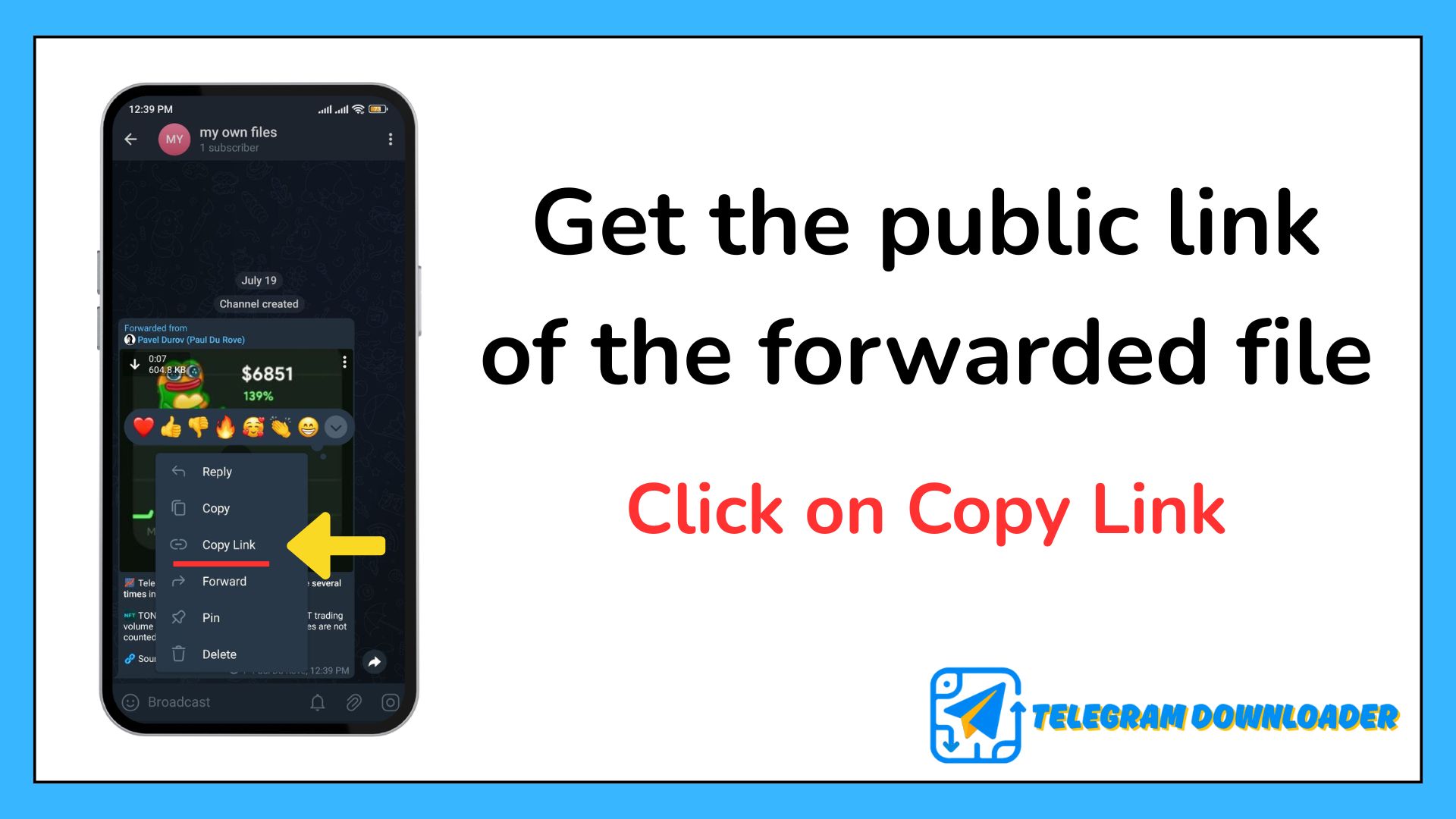
Step 3: Get the public link of the forwarded file
Go to the public channel you created and click on the file you forwarded from the private channel or group so that you can click on Copy Link and get the public link of the desired file.
After completing this process, you will have access to the direct download feature.
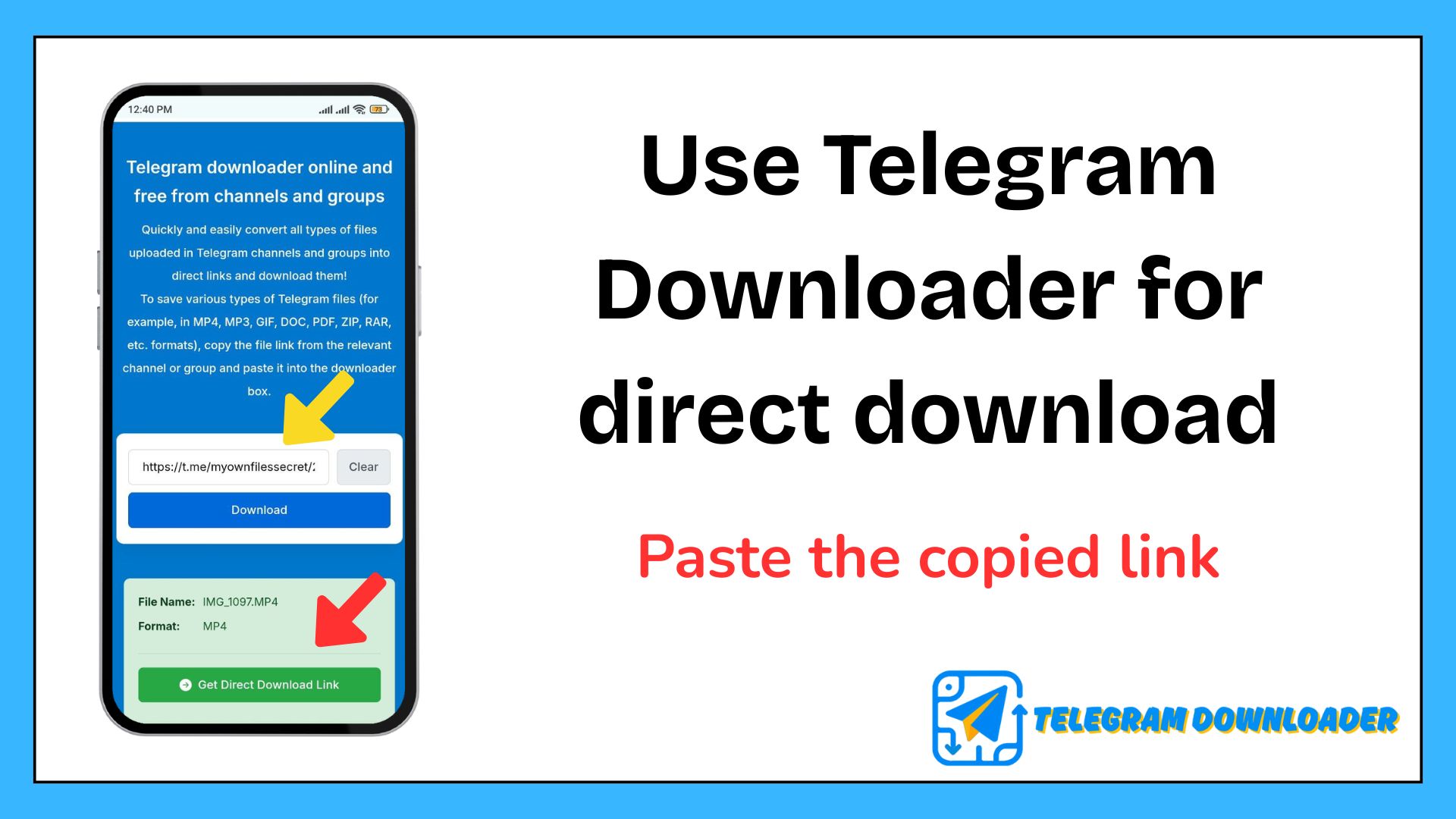
Step 4: Use Telegram Downloader for direct download
Go to our downloader and enter the link you copied in the previous step into the Telegram downloader toolbox.
After the direct download link is created for you, simply click on the download button to start your download, and you can easily save the file you want to your system.
Telegram is a very popular messenger and social network among users. If you need to learn about it or have any questions about Telegram’s features, let us know in the comments section.
We always share our personal experiences using Telegram with you.
Is this method safe?
Yes, it’s 100% safe. You are only using official Telegram features.
Will the channel owner know that I downloaded the file?
No, they will not notice you downloading restricted content from their channel and group.
Does this work for all types of files (videos, photos, documents)?
Yes, you can download all file formats uploaded to Telegram using this method, except files in APK format.
Is this method legal?
Yes, your download is legal as long as you do not share the downloaded file with anyone.
What should I do with the public channel after downloading?
For complete privacy, you can simply delete the message or even the entire public channel you created.