
Can you download from a private Telegram channel?
No website can open a t.me/c/ link. Here’s why, what works instead, and how to tell a private Telegram channel from a protected one.
Somebody sends you a link to a course, a film, a folder of design files. You open it and Telegram says you have to join first. You join, the file is right there, and now you want it on your laptop instead of your phone. So you paste the link into a downloader and get an error.
That error isn’t a bug. It is the whole point of a private channel. Once you see why, you stop wasting evenings on tools that promise more than they can do.
The short version
If the link starts with t.me/c/, no website can open it. Not ours, not anyone else’s. You need the Telegram app, signed in to an account that is a member.
If you can already see the file inside Telegram, saving it is usually easy. Skip ahead to saving it properly.
If the save option has vanished, the owner has switched on content protection, and nothing gets around that.
Why t.me/c/ links lead nowhere
Public channels have a username, and their links contain it:
https://t.me/durov/537Anyone can open that address, signed in or not, and Telegram will show the post. A downloader can ask Telegram for the file behind it in exactly the same way.
Private channels have no username. Their links look like this instead:
https://t.me/c/1234567890/537The number after /c/ is an internal channel ID. Telegram only answers a request for that post if the account asking is already a member. There’s no anonymous version of the question.
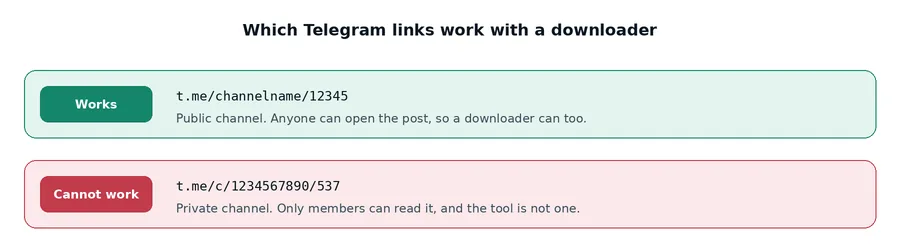
So when a web tool gets a t.me/c/ link, it isn’t being blocked by some filter that could be switched off. It has no Telegram account and belongs to no channel. From where it stands, the post simply doesn’t exist.
Think of a public link as a street address and a private link as a flat number in a building with a locked front door. Knowing the flat number doesn’t get you inside.
Private and protected are two different things
These get mixed up all the time, and the difference decides whether you can save the file at all.
| Private channel | Content protection on | |
|---|---|---|
| Who can see the posts | Members only | Depends: the channel can be public or private |
| Can members save files? | Yes | No |
| Can posts be forwarded? | Yes | No |
| Can an outside tool help? | No | No |
A private channel controls who gets in. Once you’re a member, it behaves like any other chat. Save, forward, copy, all as normal.
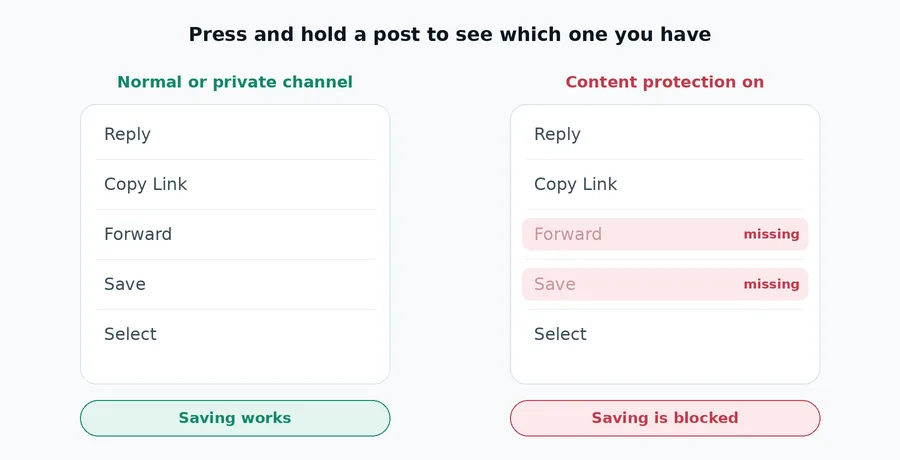
Content protection is a separate switch the owner turns on in the channel settings, labelled Restrict Saving Content. With it on, the save option disappears, forwarding is blocked, and Telegram refuses to hand the file to anything outside the channel. A channel can be public with protection on, or private with it off.
The quickest way to tell them apart: press and hold the post in the app. If Forward and Save are in the menu, you are just in a private channel and saving will work. If they’re missing, protection is on.
A third one, new in 2026
Since March 2026 there’s also Disable Sharing, which works in one-to-one chats rather than channels. Premium users can switch it on for a specific person, and from then on messages in that conversation can’t be shared out of it. If the save or forward option is missing in a private chat rather than a channel, that’s probably the reason. We explain it properly in Telegram’s Disable Sharing setting, explained.
If you can see it, here’s how to save it
For a private channel without protection, the app gives you everything you need. It’s slower than a direct link, but it works.
On Android
Open the file, tap the three-dot menu, and choose Save to Gallery for photos and video or Save to Downloads for documents.
On iPhone
Open the file, tap the share icon, and choose Save Video or Save to Files.
One thing that trips people up: iOS puts documents in the Files app, not in Photos. If you saved a video and it isn’t in your camera roll, open Files, go to Downloads, tap the video, then share it and choose Save Video.
On Telegram Desktop
This is the best route for anything large. Right-click the file and choose Save As, and you get to pick the folder. Desktop transfers are faster than mobile ones and cope better with a brief drop in the connection.
Saving a whole channel
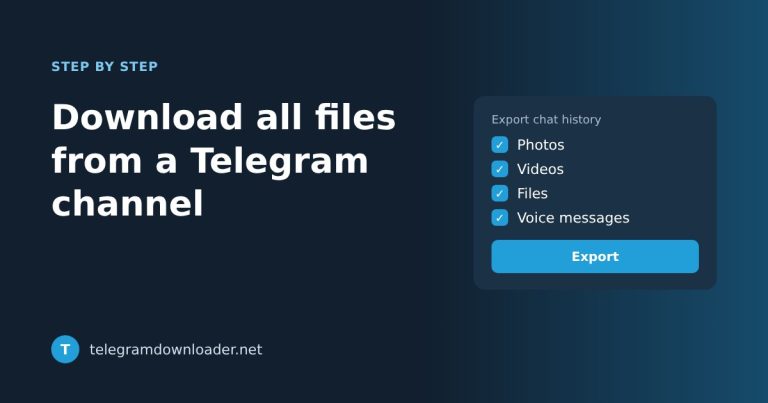
If you want everything rather than one file, Telegram Desktop has an exporter built in under Settings > Advanced > Export Telegram data. You can limit it to one chat and to media only.
It’s slow, and Telegram limits its speed on purpose, so a big channel can take hours. But it runs on its own and it works on private channels you belong to, which is more than any outside tool can say.
Why the forwarding trick is a bad idea
A workaround does the rounds online, and an earlier version of this article recommended it. Here it is, and here’s why we took it out.
The idea is to create your own public channel, forward the file from the private one into it, then copy the new public link and give that to a downloader.
There are two problems with it.
It usually doesn’t work. Most channels people want to get around have content protection on, and with protection on, forwarding is blocked. Telegram stops you at step one. The trick only works where you could have pressed Save anyway.
It publishes someone else’s content. Forwarding a file from a private group into a public channel makes it public. Even with an obscure channel name, it now sits at an address anyone can reach. The people in that group didn’t agree to that, and if the content is paid for, neither did whoever made it.
We’d rather give you the honest answer than a step that mostly fails and sometimes does real harm.
About tools that promise more
Search for this and you’ll find extensions and scripts claiming to download from any private or restricted channel. A few are upfront about their limits. Many aren’t.
Before installing one, ask two questions.
Does it want your Telegram login? Some ask you to sign in, or to create an API key from your account. That hands over access to every chat you have, not just the file you wanted. No video is worth that.
What happens when protection is on? Read the small print. Most of these tools admit, somewhere, that they can’t get past content protection, because the refusal happens on Telegram’s servers. If a tool claims otherwise without explaining how, it either doesn’t work or isn’t telling you what it does.
Where our tool fits
To be clear about our own limits: Telegram Downloader works with public posts only. Paste a t.me/channelname/12345 link and you get a direct download link that works in a browser or a download manager such as IDM or JDownloader. It always fetches the highest quality Telegram holds for that post.
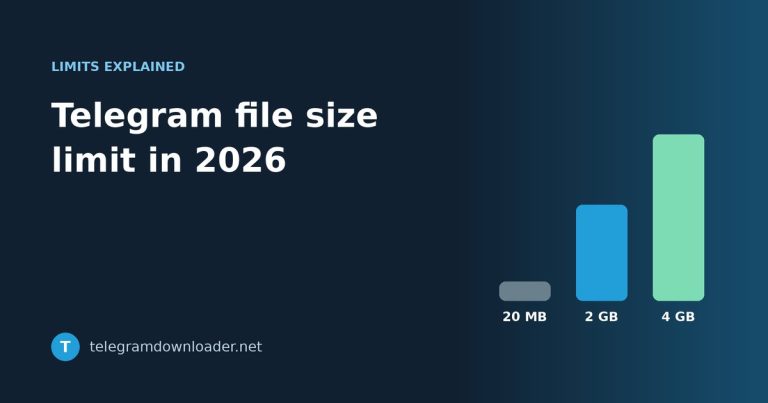
That’s genuinely handy when the content is public and large. A 2 GB archive comes down much faster through a download manager than through the app on a phone. If you’re wondering how big a file can be, see our guide to the Telegram file size limit.
For private channels it can’t help, and we won’t pretend it can. Telegram’s access control exists for a reason, and building a way around it would mean treating other people’s private groups as fair game.
Quick answers
Can I download from a private Telegram channel if I’m a member?
Yes, but through the Telegram app rather than a website. Save the file in the app, or use Save As on Telegram Desktop.
Why does my Telegram link start with t.me/c/?
That’s Telegram’s link format for private content. Only an account that is already a member can read those posts, so no outside tool can fetch them.
The save button has disappeared. What happened?
In a channel or group, the owner has turned on content protection. In a one-to-one chat, the other person may have turned on Disable Sharing. Either way, no tool can get around it.
Is there any way to bypass Telegram’s content protection?
No. Telegram refuses to release the file to anything outside the channel, and that refusal happens on its servers, not in the app.
Is it legal to download from a private channel I’ve joined?
Saving something you have legitimate access to is normally fine. Sharing it onward is a different matter and depends on the content and where you live. If it isn’t yours to share, don’t share it.
Last reviewed October 2026. If Telegram changes how any of this works, tell us at [email protected] and we’ll update the article.

2 Comments