Telegram file size limit: what you can send and download
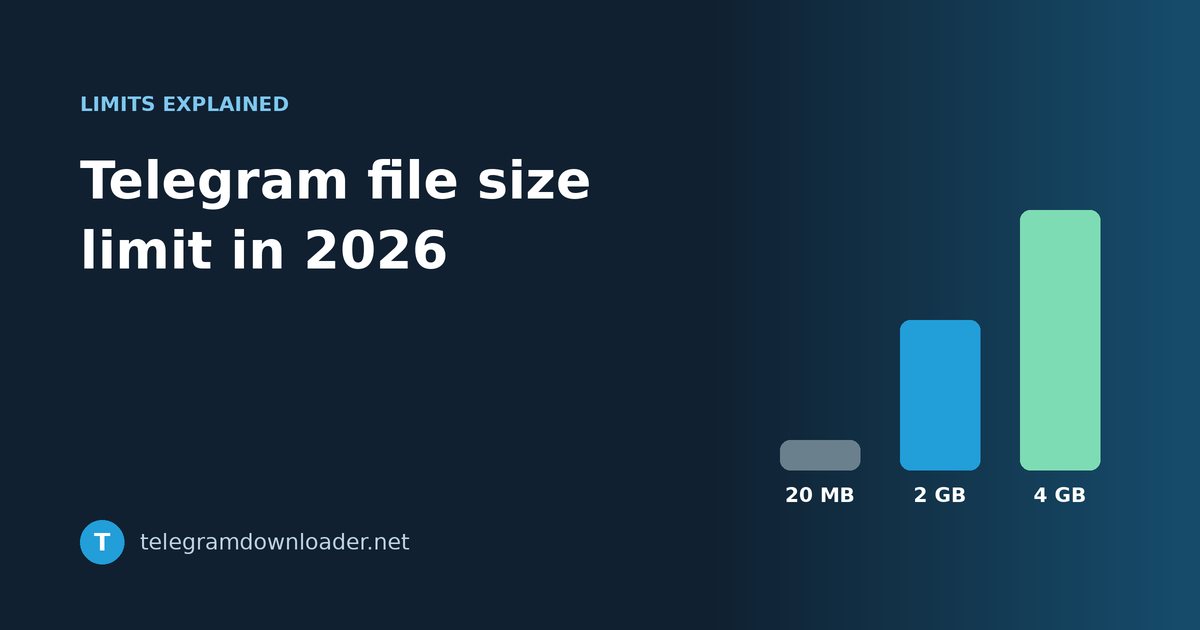
Telegram allows 2 GB per file, or 4 GB with Premium. What that means for downloading, why bots fail on big files, and how to move anything larger.
Telegram is unusually generous with file sizes. Most messaging apps start complaining somewhere around 100 MB. Telegram lets you send a file twenty times that size, on a free account, and keeps it in the cloud for as long as the message exists.
The limits are simple once you see them laid out. Where people get stuck is everything around them: why a bot gives up on a file the app handles easily, why a big download crawls, and what to do with a file that is just over the line.
The limits
| Account | Largest file you can send | Download speed |
|---|---|---|
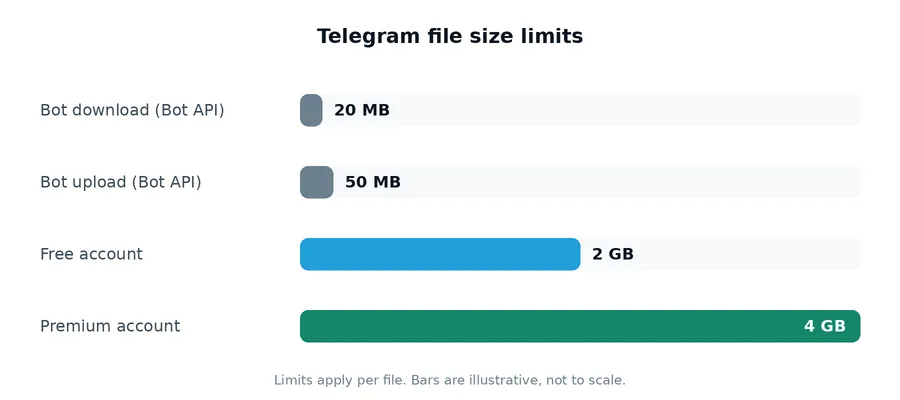
| Free | 2 GB per file | Can be slowed down on large files |
| Telegram Premium | 4 GB per file | Full speed of your connection |
There is no limit on how many files you send. The cap applies to each file on its own, so a 10 GB folder can go across as five 2 GB parts.
One detail that surprises people: the 4 GB limit only matters for the person sending. If a Premium user posts a 3.5 GB file in a channel, everyone in that channel can download it, free accounts included. You don’t need Premium to receive big files. You only need it to send them.
Why the download is slow
If you are on a free account and a large file is crawling inside the app, the file isn’t broken and your connection may be fine. Telegram gives Premium subscribers downloads at the full speed of their connection, and free accounts don’t always get that on big files.
There are two ways around it. One is Premium. The other is to get the file out of the app entirely. For a file in a public channel, you can paste the post link into Telegram Downloader to get a direct link, then hand that link to a download manager. Download managers split a file into several parallel connections and pick up where they left off if the connection drops, which matters a lot when the file is 2 GB and your Wi-Fi has a moment.
Why bots give up on big files
This one causes a lot of confusion. You send a 300 MB video to a downloader bot, and it tells you the file is too large, even though Telegram itself handled it without complaint.
That’s not the bot being lazy. Bots that use Telegram’s standard Bot API work under much tighter limits than people do:
- a bot can download files of up to 20 MB
- a bot can upload files of up to 50 MB
A bot can only go past that if its developer runs their own copy of the Bot API server, and most don’t. So if a bot rejects your file, it’s almost certainly this limit and not anything about the file. Using a tool that works from the post link instead of from a forwarded message avoids the problem.
Sending a file bigger than the limit
If the file is over 2 GB and you don’t have Premium, split it into parts before sending.
The usual way is a split archive. In 7-Zip on Windows, right-click the file, choose Add to archive, and in Split to volumes type 1900M. You get files named name.7z.001, name.7z.002 and so on, each under the limit. On a Mac, Keka does the same thing.
Leave a little room under 2 GB rather than splitting at exactly 2000 MB. File sizes are counted slightly differently by different programs, and a part that is a few megabytes too big will simply fail to send.
Whoever receives it needs every part in the same folder. They open the .001 file and the archive program joins the rest automatically. If one part is missing, nothing extracts, which is the most common reason people think a split archive is broken.
Two habits that save trouble
Send large videos as files. A video sent the normal way is compressed by Telegram before upload. Sent as a file, it keeps its original quality. We cover that in more detail in why Telegram videos look blurry.
Check the size before you send. Telegram only tells you a file is too large after it has read it, which can take a while for something that big. A quick look at the file properties first saves the wait.
Quick answers
What is the maximum file size on Telegram?
2 GB per file on a free account and 4 GB per file with Telegram Premium. There is no limit on the number of files.
Can I download a 4 GB file without Premium?
Yes. The 4 GB limit only applies to sending. Anyone can download a large file that a Premium user has posted.
Why does a Telegram bot say my file is too big?
Bots on the standard Bot API can only download files up to 20 MB and upload files up to 50 MB, far below what the app allows. Tools that work from a post link don’t have that limit.
How do I send a file larger than 2 GB on Telegram?
Either use Telegram Premium, which raises the limit to 4 GB, or split the file into parts with 7-Zip or a similar archiver and send each part separately.
Last checked October 2026. Telegram occasionally changes its limits, so if you notice a difference, let us know at [email protected].