How to save a video from Telegram to your phone or computer
How to save a video from Telegram to your gallery, Photos app or PC, step by step, where the file lands, and what to do when it won’t save.
You found the video. Maybe it’s a lecture, a match highlight or a clip a friend sent. You want it on your phone or laptop, outside Telegram, where it won’t vanish when the cache gets cleared.
Here’s how to save a video from Telegram on Android, iPhone, Telegram Desktop and Telegram Web, step by step, and where each one puts the file.
In short
- Android: open the video, tap the three dots, then Save to Gallery.
- iPhone: open the video and tap Save Video. It goes to the Photos app.
- Computer: right-click the video and choose Save Video As… Big video in a public channel? Get a direct link instead.
How to save a video from Telegram, device by device
Telegram streams videos while you watch, but streaming is not the same as saving. Until you pick a save option, the file only sits in Telegram’s cache, and the app can delete it to free space.
Menu names move around a little between versions, so if a label below doesn’t match exactly, look for the closest one.
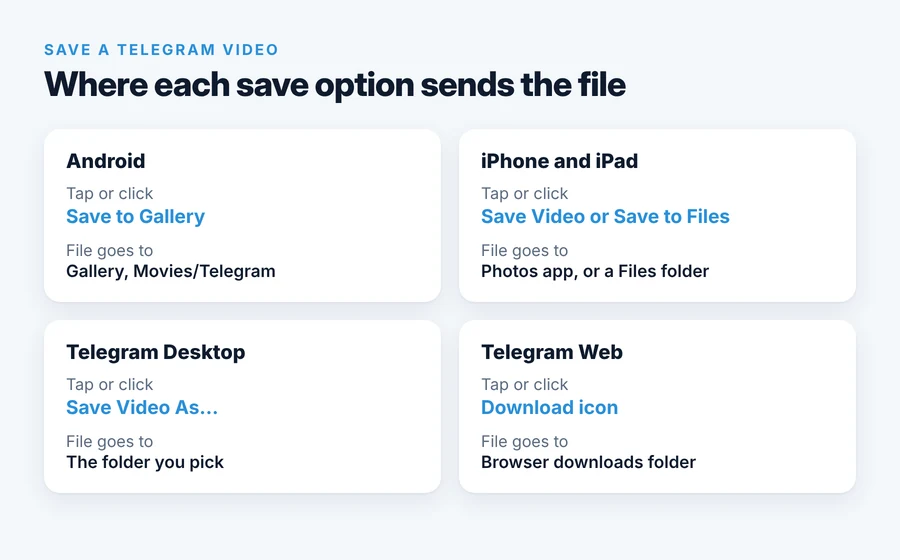
Android
- Open the chat or channel and tap the video so it opens full screen.
- Tap the three dots in the top-right corner.
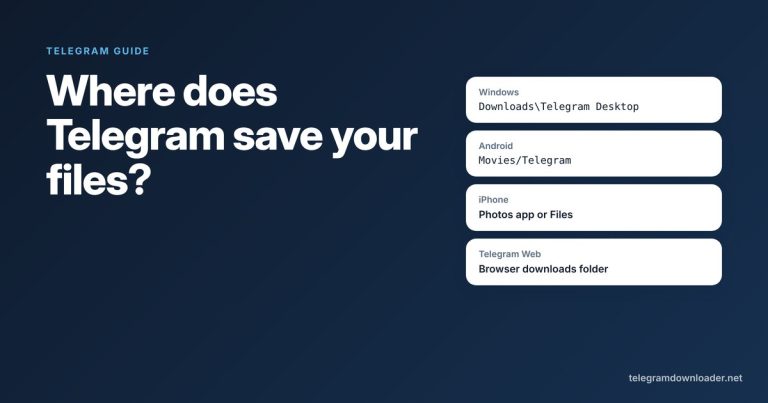
- Tap Save to Gallery. The video lands in your gallery in a Telegram album (on most phones the file is in
Movies/Telegram).
You can also long-press the message in the chat and pick Save to Gallery from the menu. For video files that were sent as documents, use Save to Downloads instead.
iPhone and iPad
- Open the video in the chat.
- Tap the three dots or the share icon, depending on your version.
- Tap Save Video to put it in the Photos app, or Save to Files to choose a folder.
The Photos app only accepts formats iOS can play. If Save Video is missing or fails, the file is probably an MKV or AVI. Save it to Files and play it with an app such as VLC.
Telegram Desktop (Windows, macOS, Linux)
- Right-click the video in the chat.
- Choose Save Video As…
- Pick a folder and click Save.
If you just click the download arrow instead, Telegram Desktop saves the file to its default folder, which on Windows is Downloads\Telegram Desktop. You can change that folder under Settings, Advanced, Download path.
Telegram Web
- Open the video in the chat.
- Click the download icon at the top of the viewer.
- The file goes to your browser’s normal downloads folder.
Telegram Web is the least reliable of the four for big files. On Telegram’s official bug tracker, users have reported large video downloads in Web A stopping at a few percent and never reaching the browser’s download list. If that happens to you, switch to Telegram Desktop or use a direct link (next section).
If you use Telegram Web in Firefox, our free browser extension adds a download button to media posts in public channels, without asking for your account.
Saving a big video from a public channel
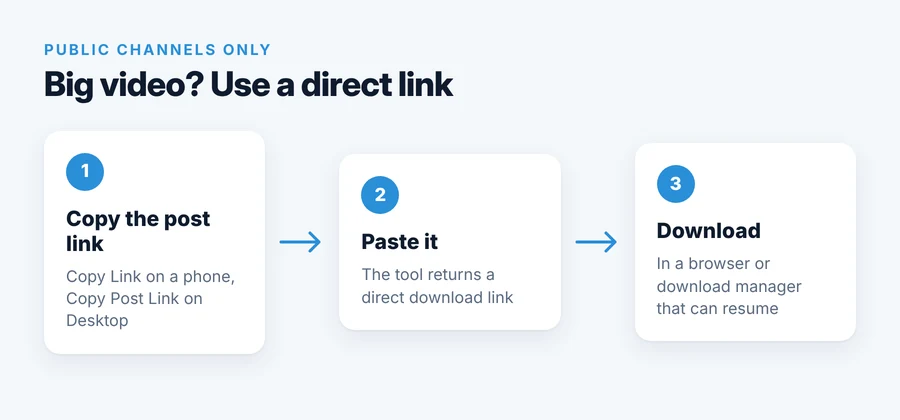
Inside the app, a 1.5 GB video downloads in one stream. If the connection drops or the phone locks the app in the background, you can end up starting over. A direct link avoids that, because a browser or a download manager like IDM, Free Download Manager or JDownloader can pause and resume it.
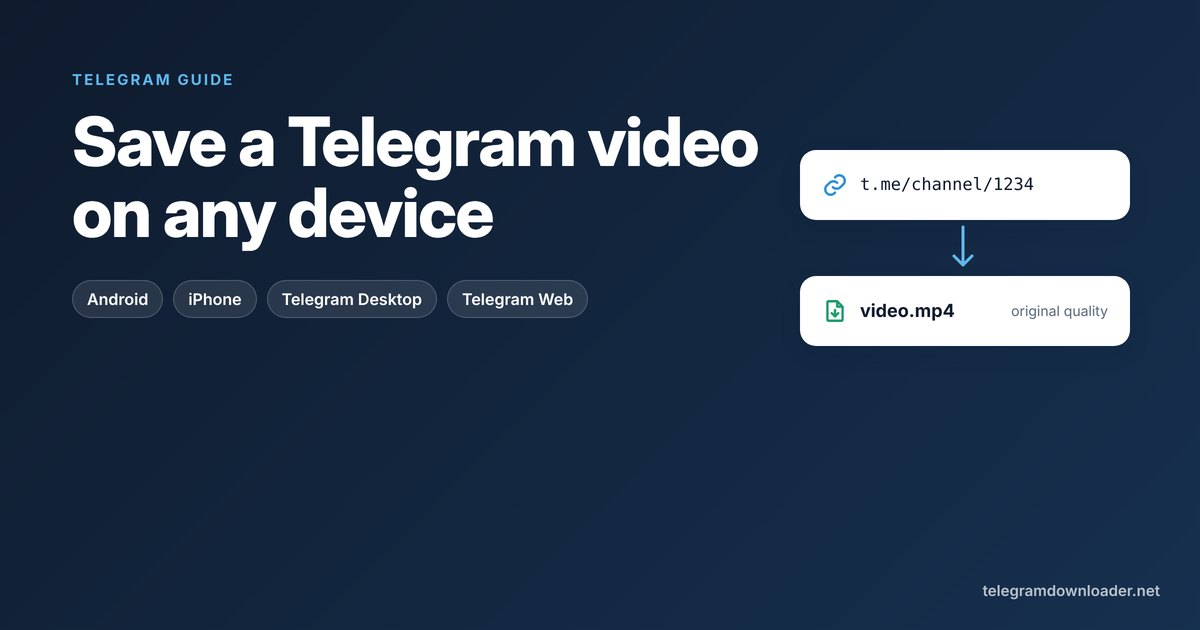
This works for posts in public channels and groups, the ones with a link like https://t.me/channelname/1234.
- Copy the post link. On a phone, long-press the post and tap Copy Link. On Telegram Desktop, right-click the post and choose Copy Post Link.
- Paste it into our Telegram downloader and press Get link.
- Download or watch. You get a direct link to the original file in the highest quality Telegram has for that post. Open it in your browser or add it to your download manager. MP4 and WebM videos also get a Watch online button.
Two things to know. The links expire after 24 hours, so download soon after you create one. And you don’t need to log in to anything, because the tool only reads public posts. Our guide to every way of downloading Telegram videos compares this with the other methods, including Telegram Desktop’s export and command-line tools.
Why a Telegram video won’t download
Most failed downloads come down to one of these:
- Not enough free space. Telegram needs room for the full file before it can save it. Check your phone’s storage first.
- The app went to sleep. On many Android phones, battery saving pauses Telegram in the background. Keep the app open, or let Telegram run without battery restrictions.
- The file is just large. Telegram allows files up to 2 GB, or 4 GB for Premium senders, and anyone can download them. Big files take time on slow connections. Our guide to Telegram’s file size limits covers speed and the Premium question.
- Telegram Web stalled. Try Telegram Desktop or a direct link instead.
- The video doesn’t play after saving. That’s usually a codec issue, not a broken download. See what to do when a Telegram video won’t play.
Videos you can’t download, and why
Some videos can’t be saved by any app or website. That’s a limit Telegram enforces on its own servers, not a trick someone has found a way around.
- Private channels and groups (links that start with
t.me/c/) only open for members. You can save their videos inside the Telegram app if the channel allows it, but no outside tool can reach them. - Protected content. If the channel owner turned on Restrict Saving Content, the save options disappear, and nothing can bypass that.
We explain the difference in can you download from a private Telegram channel?
One more thing worth saying: saving a video you can watch is normally fine for personal use. Sharing it again is a different matter and depends on copyright and the law where you live.
Which method should you use?
| Your situation | Best method |
|---|---|
| A short clip on your phone | Save to Gallery (Android) or Save Video (iPhone) |
| A video on your computer | Telegram Desktop, right-click, Save Video As… |
| A big video from a public channel, or a shaky connection | Direct link plus a download manager |
| Every video in a channel | Export chat history in Telegram Desktop |
| A private or protected channel | Only the Telegram app, and only if saving is allowed |
If you only remember one thing: open the video, find the save option, and check that the file shows up in your gallery or folder before you clear Telegram’s cache.
Quick answers
How do I download a video from Telegram to my phone?
On Android, open the video, tap the three dots and choose Save to Gallery. On iPhone, open the video, tap the three dots or the share icon and choose Save Video, which puts it in the Photos app.
Where do downloaded Telegram videos go?
Videos saved with Save to Gallery on Android go to Movies/Telegram. On iPhone, Save Video puts them in Photos. Telegram Desktop uses Downloads/Telegram Desktop unless you pick another folder.
Can I download a Telegram video without the app?
Yes, if the video is in a public channel or group. Copy the post link and paste it into a web tool such as TelegramDownloader.net to get a direct download link. Private channels only work inside the Telegram app.
Why can’t I save a video from a Telegram channel?
Either the channel is private, or its owner turned on Restrict Saving Content. In both cases Telegram blocks saving on its servers, and no app or website can get around it.
Is there a size limit for downloading Telegram videos?
Telegram files can be up to 2 GB, or 4 GB if the sender has Premium, and anyone can download them. Bots built on the standard Bot API can only download files up to 20 MB.
Last checked November 2026. If something here no longer matches the app, tell us at [email protected].