
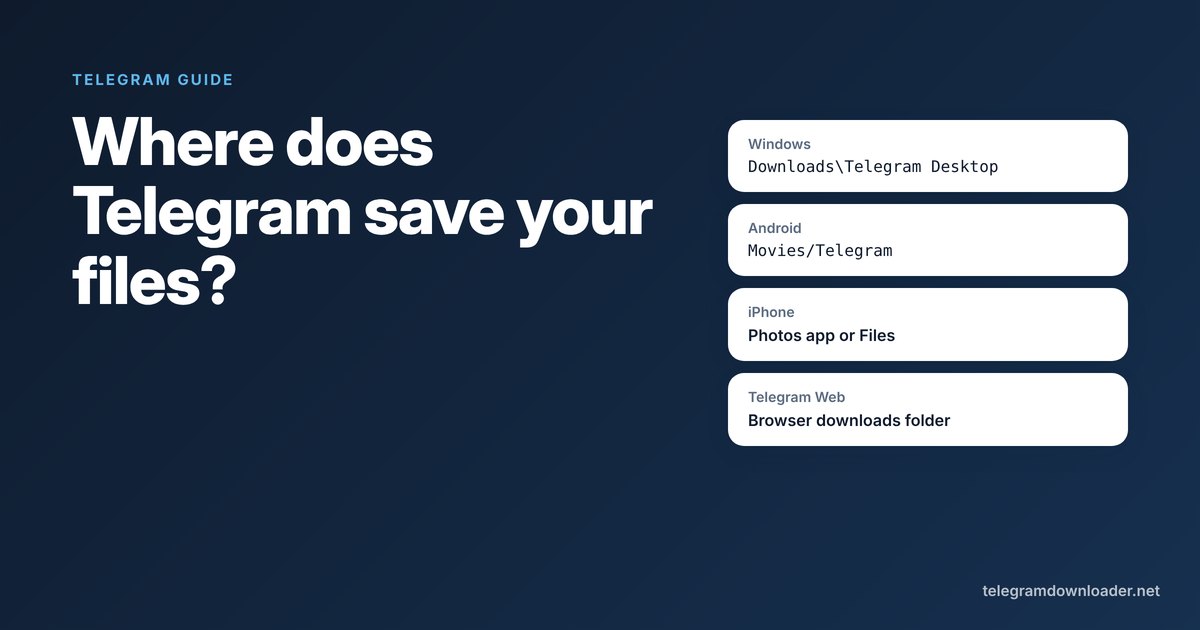
Where does Telegram save downloaded files?
Find the Telegram download location on Windows, Mac, Android, iPhone and Telegram Web, why files hide in the cache, and how to change the folder.
The download finished. You saw the little check mark. But when you open your gallery or your Downloads folder, the file isn’t there.
That’s normal with Telegram, because it keeps two copies in two different places: its own private cache, and the copy you save on purpose. Here’s the Telegram download location on every device, and how to change it where you can.
In short
- Windows:
Downloads\Telegram Desktop. Change it under Settings, Advanced, Download path. - Android:
Movies/Telegramfor videos,Pictures/Telegramfor photos,Download/Telegramfor other files. - iPhone: files stay inside Telegram until you use Save Video or Save to Files. Telegram Web uses your browser’s download folder.
Telegram download location on each device
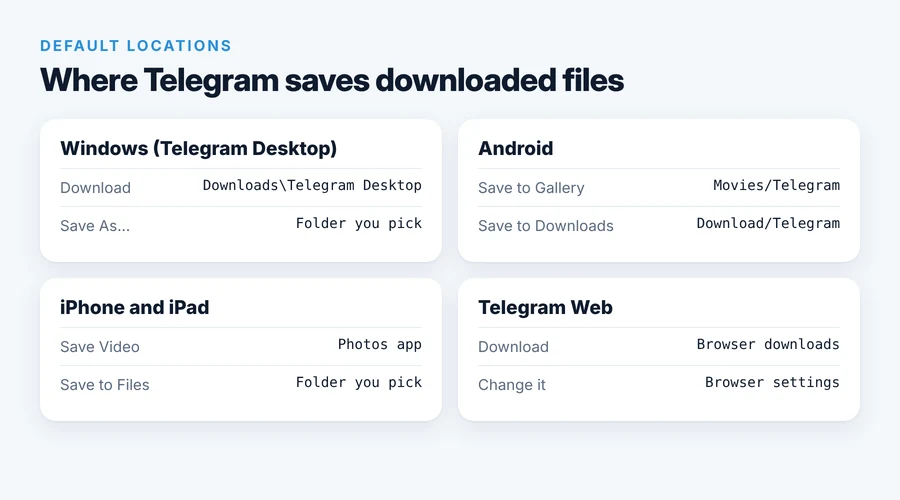
| Device | What you did | Where the file is |
|---|---|---|
| Windows | Clicked download in Telegram Desktop | C:\Users\YourName\Downloads\Telegram Desktop |
| macOS, Linux (Telegram Desktop app) | Clicked download | Downloads/Telegram Desktop in your home folder |
| Any computer | Right-click, Save As… | The folder you picked |
| Android | Save to Gallery (video) | Movies/Telegram |
| Android | Save to Gallery (photo) | Pictures/Telegram |
| Android | Save to Downloads | Download/Telegram |
| iPhone, iPad | Save Video or Save Image | The Photos app (Recents) |
| iPhone, iPad | Save to Files | The Files folder you picked |
| Telegram Web | Clicked download | Your browser’s download folder |
These paths are the defaults on current versions. Phone makers sometimes rename folders, so if you can’t see one, search your file manager for “Telegram”. On a Mac, the App Store app called Telegram works differently from Telegram Desktop, so the simplest route there is right-click, Save As…, and pick a folder.
Downloaded but not saved: Telegram’s cache
When you tap a video and it plays, or a download bar fills up, Telegram stores the file in its own cache. You can open it again inside Telegram, but other apps can’t see it.
- On Android, the cache lives in
Android/data/org.telegram.messenger/files. Since Android 11, most file managers can’t open that folder at all. - On iPhone, the cache is inside the app’s private storage. The Files app can’t see it.
- On phones, clearing the cache under Settings, Data and Storage, Storage Usage deletes these copies. Files you saved to your gallery, Photos or a folder are not touched.
So if something matters to you, use a save option. Don’t rely on the cache.
Find everything you downloaded inside Telegram
Telegram has a download manager, but it’s well hidden.
- On Android and iPhone: tap the search icon on the main chat list, then swipe the tabs under the search box to Downloads. You’ll see recent and current downloads, and you can pause or resume them.
- On Telegram Desktop: go to Settings, Advanced, then Downloads. Right-click any file and choose Show in Folder to jump straight to it.
How to change the Telegram download folder
Telegram Desktop
- Open the menu, then Settings.
- Click Advanced.
- Click Download path and choose Custom folder, then pick a folder.
The same screen has an Ask download path for each file option, if you’d rather choose every time. Changing the folder only affects new downloads. Files already in the old folder stay where they are.
Android and iPhone
The phone apps don’t let you change the folder. You choose where a file goes each time you save it: gallery or Downloads on Android, Photos or a Files folder on iPhone.
Telegram Web
Telegram Web follows your browser. In Chrome, go to Settings, Downloads, change Location, or turn on Ask where to save each file before downloading.
Still can’t find the file?
- Check that the download actually finished. A half-finished download stays in the cache and never appears in your folders.
- Look for the right type of save. On Android, a video saved with Save to Downloads is in
Download/Telegram, not in your gallery. - Check the format on iPhone. Photos won’t accept MKV or AVI files. Save them to Files instead.
- Big file stuck in Telegram Web? Use Telegram Desktop, or, for a public channel post, turn the post link into a direct download link with our Telegram downloader. The file then goes to your browser’s normal download folder like any other download.
For the full walkthrough of saving videos on each device, see how to save a video from Telegram. And if you need a whole channel’s files at once, Export chat history in Telegram Desktop puts everything in one folder you choose.
Quick answers
Where does Telegram save files on Android?
Save to Gallery puts videos in Movies/Telegram and photos in Pictures/Telegram. Save to Downloads puts files in Download/Telegram. Anything you only viewed stays in Telegram’s private cache.
Where are Telegram downloads on a PC?
Telegram Desktop saves to C:\Users\YourName\Downloads\Telegram Desktop by default. If you used Save As, the file is in the folder you picked.
How do I change the Telegram download location?
In Telegram Desktop, open Settings, Advanced, Download path and choose Custom folder. The phone apps don’t have this setting; you pick a destination each time you save.
Why can’t I find my Telegram download in the gallery?
Viewing or downloading a file inside Telegram only puts it in the app’s cache. Use Save to Gallery on Android or Save Video on iPhone to make a copy your gallery can see.
Does clearing the Telegram cache delete saved files?
No. Clearing the cache only removes Telegram’s internal copies. Files you saved to your gallery, the Photos app or a folder stay where they are.
Last checked November 2026. If something here no longer matches the app, tell us at [email protected].